In situations where the charger ceases communication or encounters an update failure, it may be necessary to reset the charger. This manual will guide you through the process.
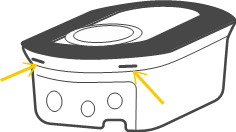
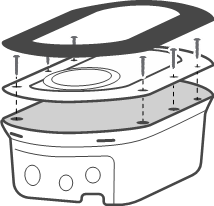
When performing this action, the charger will revert to factory settings, meaning that some of the previously applied configurations will be erased. You'll need to set up the charger again, so it's advisable to back up your settings.1. Open the charger by pressing the two barbs under the charger and take out the decorative cover. Loosen the six screws of the cover and take out the cover.
2. Located the reset switch under the LCD.
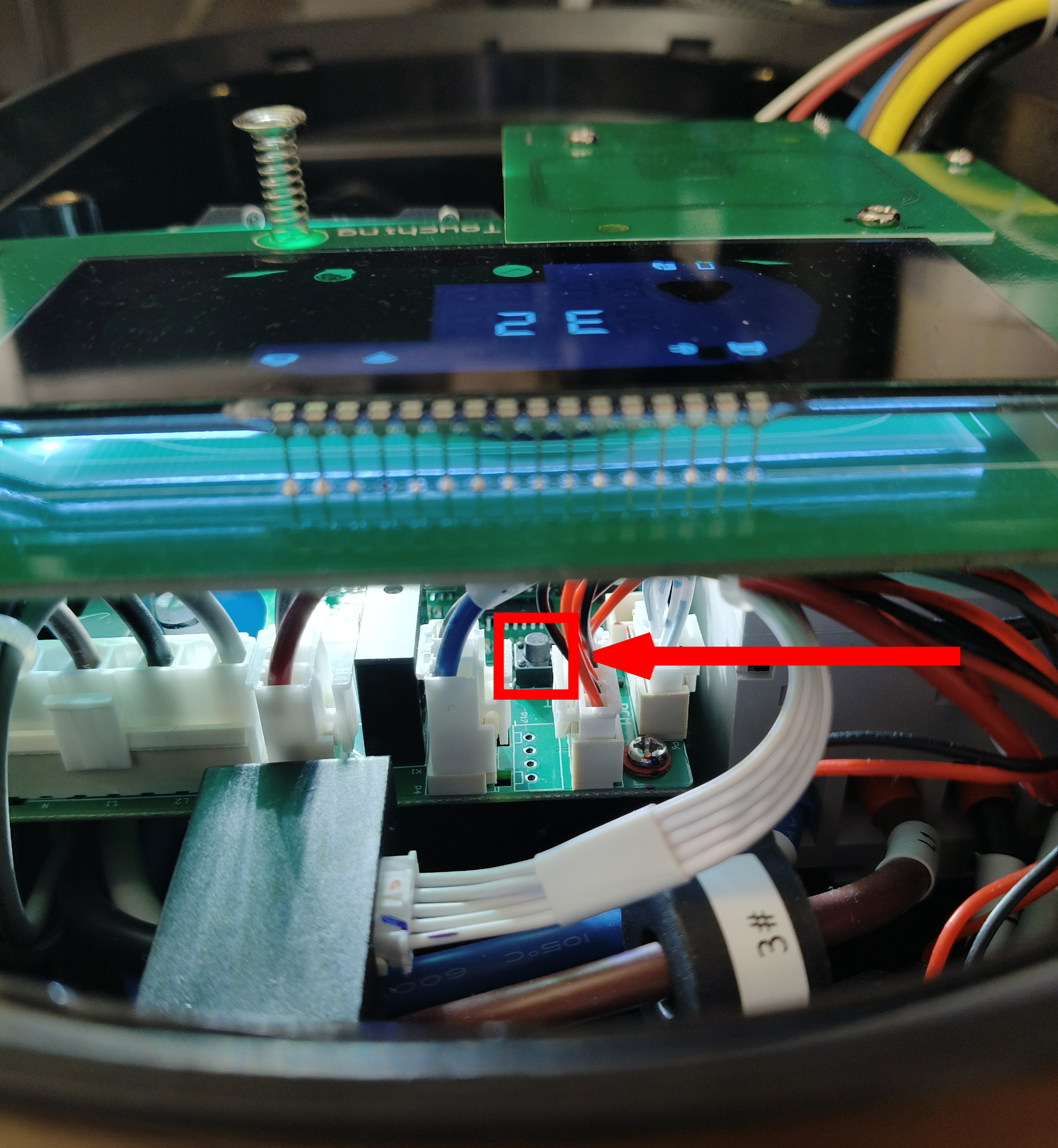
It may be necessary to unscrew the LCD display and carefully lift it without disconnecting or damaging the ribbon cable. You can see this done in Here, section "1.2 LCD/RFID assembly" part 1.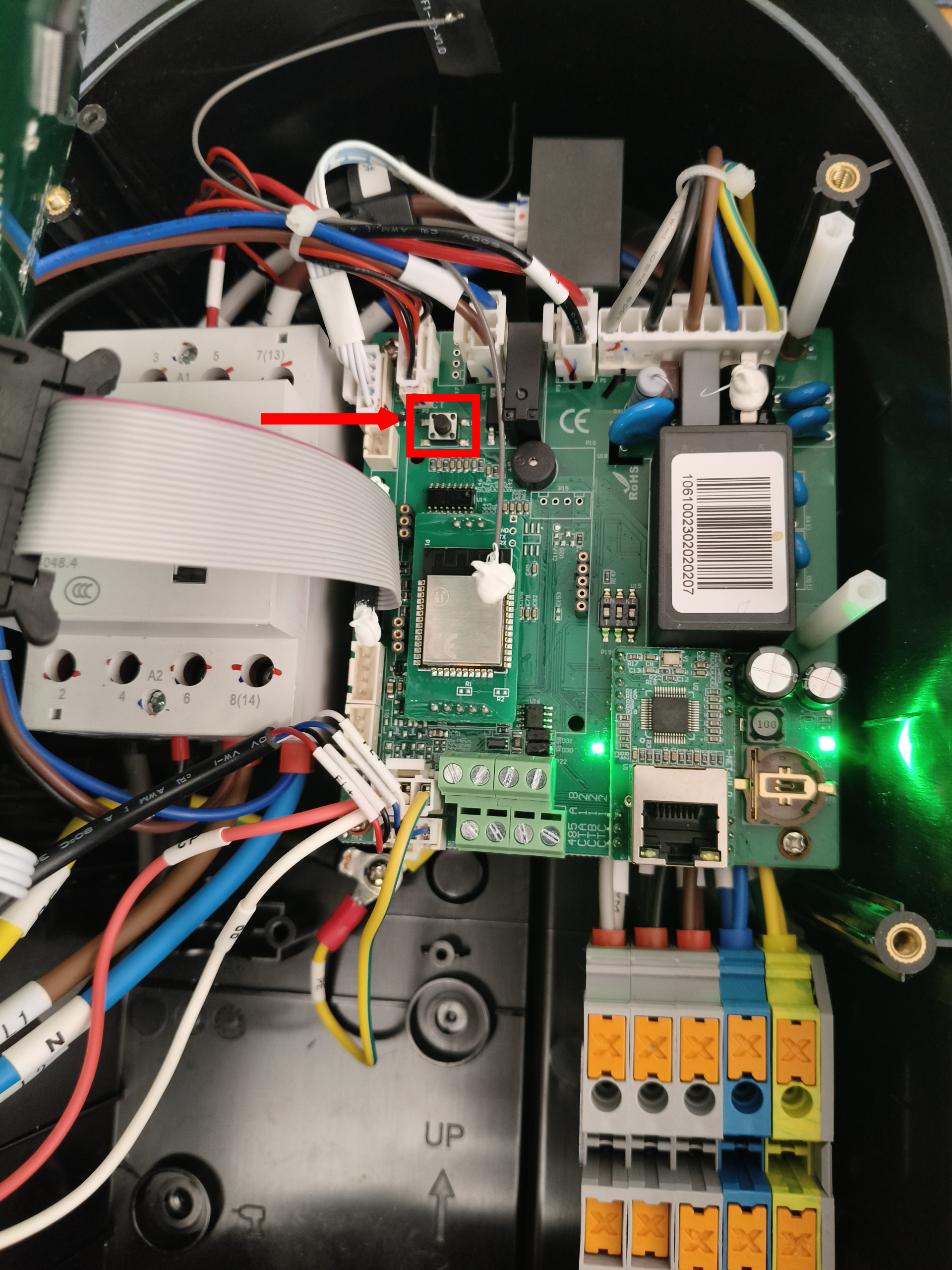
3. Press the button on the charger while it is plugged in (until you hear 5 beeps). The charger will restart and is ready to be used again.
Was this article helpful?
That’s Great!
Thank you for your feedback
Sorry! We couldn't be helpful
Thank you for your feedback
Feedback sent
We appreciate your effort and will try to fix the article