TABLE OF CONTENTS
Connecting to the chargepoint
Connect the charger to your PC using an Ethernet cable via the charge point’s LAN port and power on the charger.
The PC network must be configured in the same network segment, with the same gateway and DNS settings. Also, ensure you have disconnected all other network connections (wifi).
Configure the computer’s network IP, subnet mask, and gateway to the same IP range as the charge point. Right-click the network highlighted in the image below, select 'Network and Internet settings':
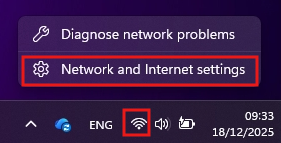
In the window that opens, make sure the WiFi connection is set to 'Off' and then click on the 'Ethernet' setting:

Then click “Edit” on the 'IP assignment:' row:
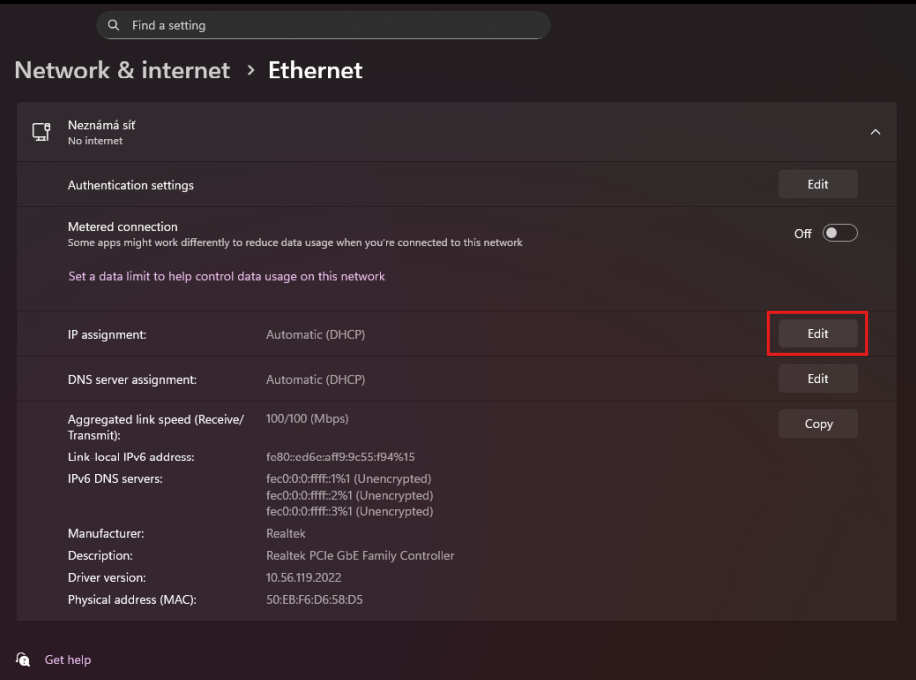
In the next window, change from 'Automatic' to 'Manual' and switch the 'IPv4' slider to On.
Set the IP address, Subnet mask, Gateway and Preferred DNS as shown in the image below:
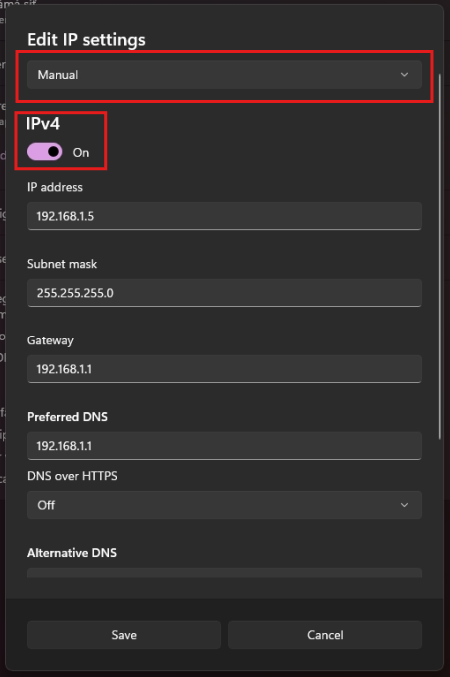
Click 'Save', and you can continue to set up the charger in your internet browser.
Chargepoint WEB UI (user interface)
Open the charger’s local network web server in a computer browser (for example, Google Chrome).
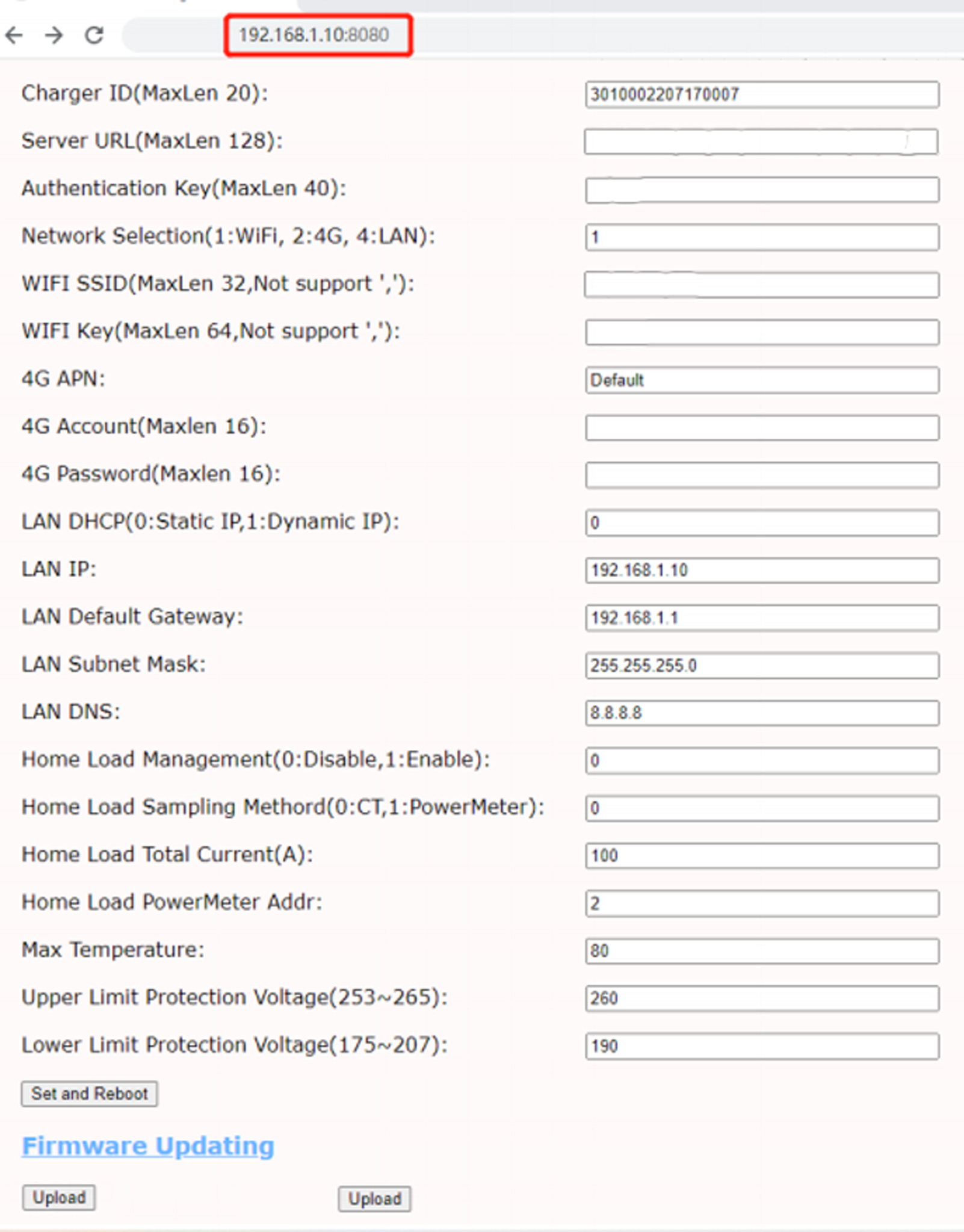
Enter the URL http://192.168.1.10:8080 in your web browser, as shown below.
DLM activation
DLM, also known as dynamic load balancing, physical wired connection:
If using an external current transformer (CT), connect the black and white wires of the open CT to CTA (or CTB / CTC) on the charge point motherboard, with the black wire connected to + and the white wire to −. The CT should be clamped on L1, L2, or L3 in the main electrical panel, in front of the household main MCB input cable phases. Make sure the CT is clipped on the same phase that is connected to the charge point — this is crucial for DLM to work correctly.
If using a MID meter, connect the meter’s RS485 connector to the charge point motherboard’s RS485 connector.
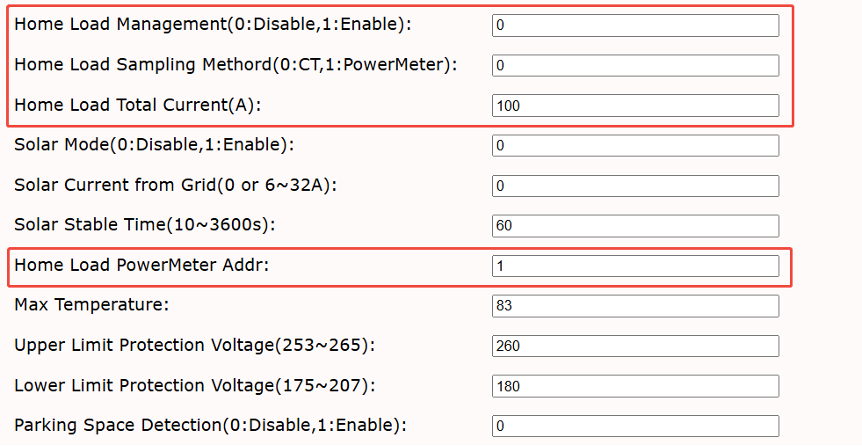
For the data settings, see the image below.
Set Home Load Management to 1 to enable DLM; 0 disables it.
Set Home Load Sampling Method to 0 for CT mode, or 1 for meter communication mode.
Home Load Total Current defines the maximum allowed current for the household.
Home Load Power Meter Addr is only required when using meter communication mode and must match the meter address.
Was this article helpful?
That’s Great!
Thank you for your feedback
Sorry! We couldn't be helpful
Thank you for your feedback
Feedback sent
We appreciate your effort and will try to fix the article