DC power cable connections:
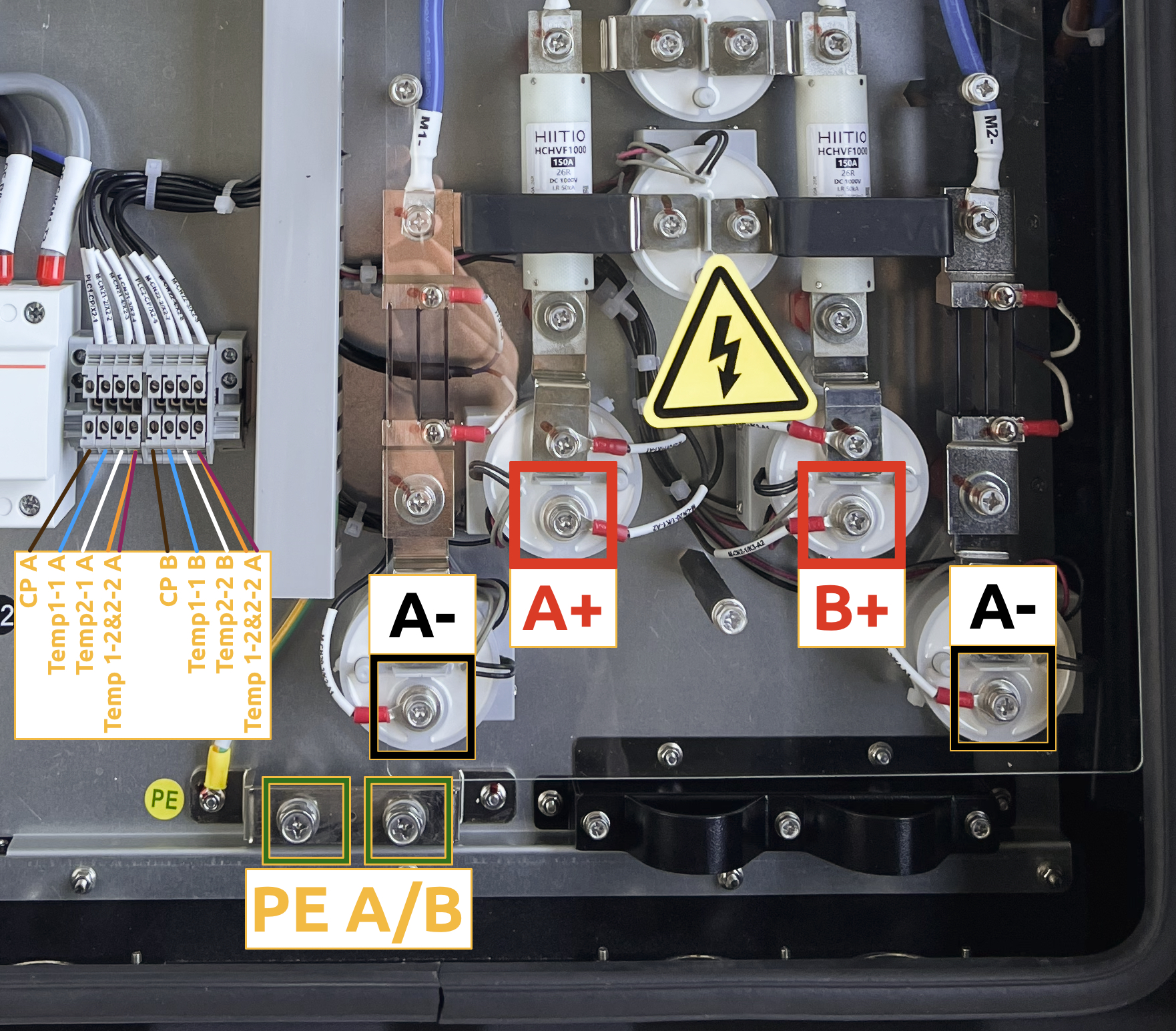
◦ Black to negative (-)
◦ Red to positive (+)
◦ Yellow/Green to Protective Earth (PE)
Communication wire connections:
◦ Control Pilot (CP) to terminal 1
◦ Blue (BU) and White (WH) in terminals 2 and 3
◦ Orange (OG) and Violet (VT) both in terminal 4
* Proximity Pilot (PP) is not used
Cable ends must be prepared with appropriate cable terminal ends. The M6 bolts securing DC+, DC- and PE terminals must be tightened up to 5 Nm of torque. For the smaller cables, simple ferrules can be used. | Model | Cable amount | Cross-section | Sensor type |
| 30 kW | 1 | 3 x 16 mm² + 3 x 2 x 0.75 mm² | Pt 1000 |
| 40 kW | 2 | 3 x 16 mm² + 3 x 2 x 0.75 mm² | Pt 1000 |
| 60 kW | 2 | 2 x 35 mm² + 1 x 25 mm² + 3 x 2 x 0.75 mm² | Pt 1000 |
The color combination and terminal connection sequence are the same for all CORE DC charger models. Use the image below as a reference and connect both the DC cable line and the communication wires.
In the charge point admin menu, also check and, if needed, correct the charging connector temperature sensor type.
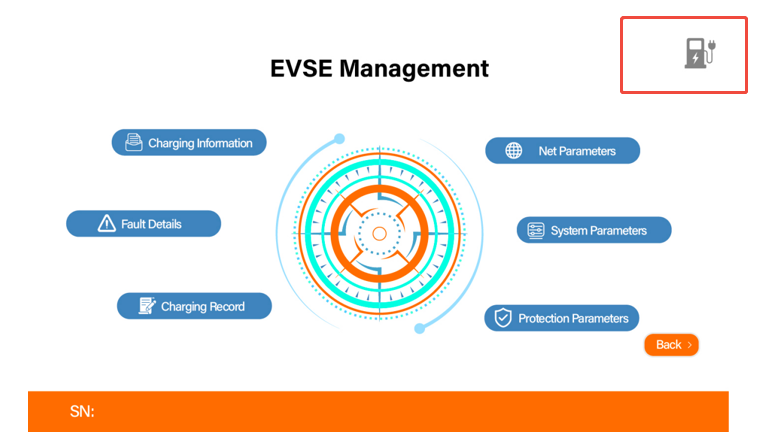
To change the sensor type: First, double-tap the top-left corner of the charger screen. When the admin menu appears, tap the top-right corner 3–5 times to enter the settings interface.
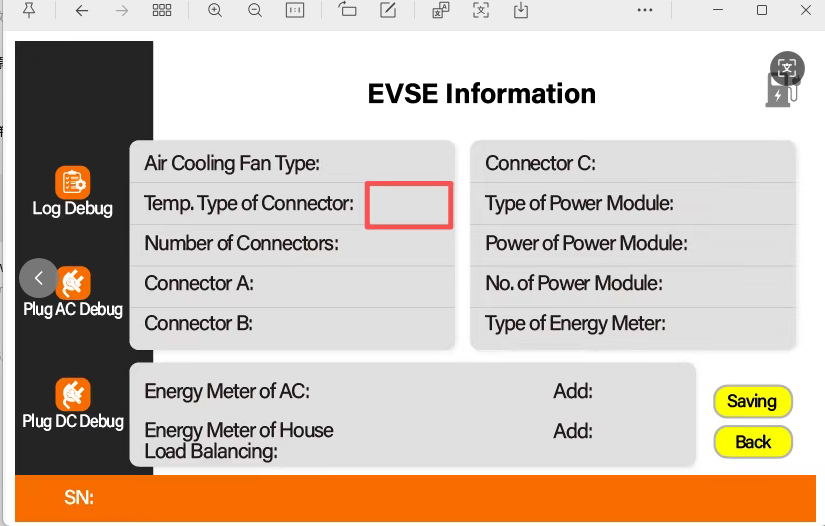
Find “Temp. Type of Connector” and change it to PT1000. Then remember to press “Saving” in the bottom right on the yellow icon.
Reboot the charge point for the saved changes to take effect.
Was this article helpful?
That’s Great!
Thank you for your feedback
Sorry! We couldn't be helpful
Thank you for your feedback
Feedback sent
We appreciate your effort and will try to fix the article